

Windows equivalent : 3D Studio MAX
Ubuntu equivalent : Blender
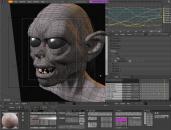
Blender is a professional-level 3D-modelling application, capable of helping you to produce photo-realistic results.
It has many advanced features, and can handle the animation, rendering, post-production and interactive playback of your models.

Blender’s features include 3D modeling, UV unwrapping, texturing, rigging, water and smoke simulations, skinning, animating, rendering, particle and other simulations, video editing software, compositing, and the ability to create interactive 3D applications, video games, animated film, or visual effects.
More advanced tools include rigid, realistic body, fluid, cloth and softbody dynamics simulation, modifier-based modeling, character animation, a node-based material and compositing system, and embedded scripting in Python.
sudo apt-get install blender
Or you can get the latest developmental beta version:
sudo add-apt-repository ppa:irie/blender

sudo apt-get update && sudo apt-get install blender2.5
Access it through Applications → Graphics → Blender (windowed).

1 comment
Hi I amm so glad I fond your web site, I really fond yoou bby error, while I was
browsing oon Askjeeve forr somesthing else, Anyhoow I am here now and would just
like to say thqnk you for a fantastic post aand a all round entertaining blog (I also love the theme/design), I don’t haave
time to browse it alll at the momernt bbut I have
book-marked it and also added iin your RSS feeds, so when I have
time I will be bacxk to read a lot more, Please ddo keep up the great work.
xnxx